


Quick Answer
A Telegram account may be banned or restricted for several reasons, including sending spam messages, receiving multiple user reports, using flagged phone numbers, suspicious login activity, or violating Telegram’s Terms of Service. If your account is banned, first check whether it is temporarily limited or fully banned. You can use @SpamBot to review spam-related restrictions or submit an appeal through Telegram’s official support page if you believe the ban was a mistake.
To reduce potential login and network-related risks, maintain a consistent login environment and use reliable proxy services when needed. FlashIP offers residential proxies with location targeting and flexible session options for managing network access across different regions.
Why Is My Telegram Account Banned? Common Causes
Spam and Bulk Messaging
Sending too many unsolicited messages in a short period is one of the common reasons a Telegram account may be restricted. For example, messaging large numbers of people you don’t know, repeatedly sharing promotional links, or sending the same message to multiple users can make your account appear spammy. New accounts should be especially careful when starting conversations or sharing links with people outside their contact list.
Mass User Reports
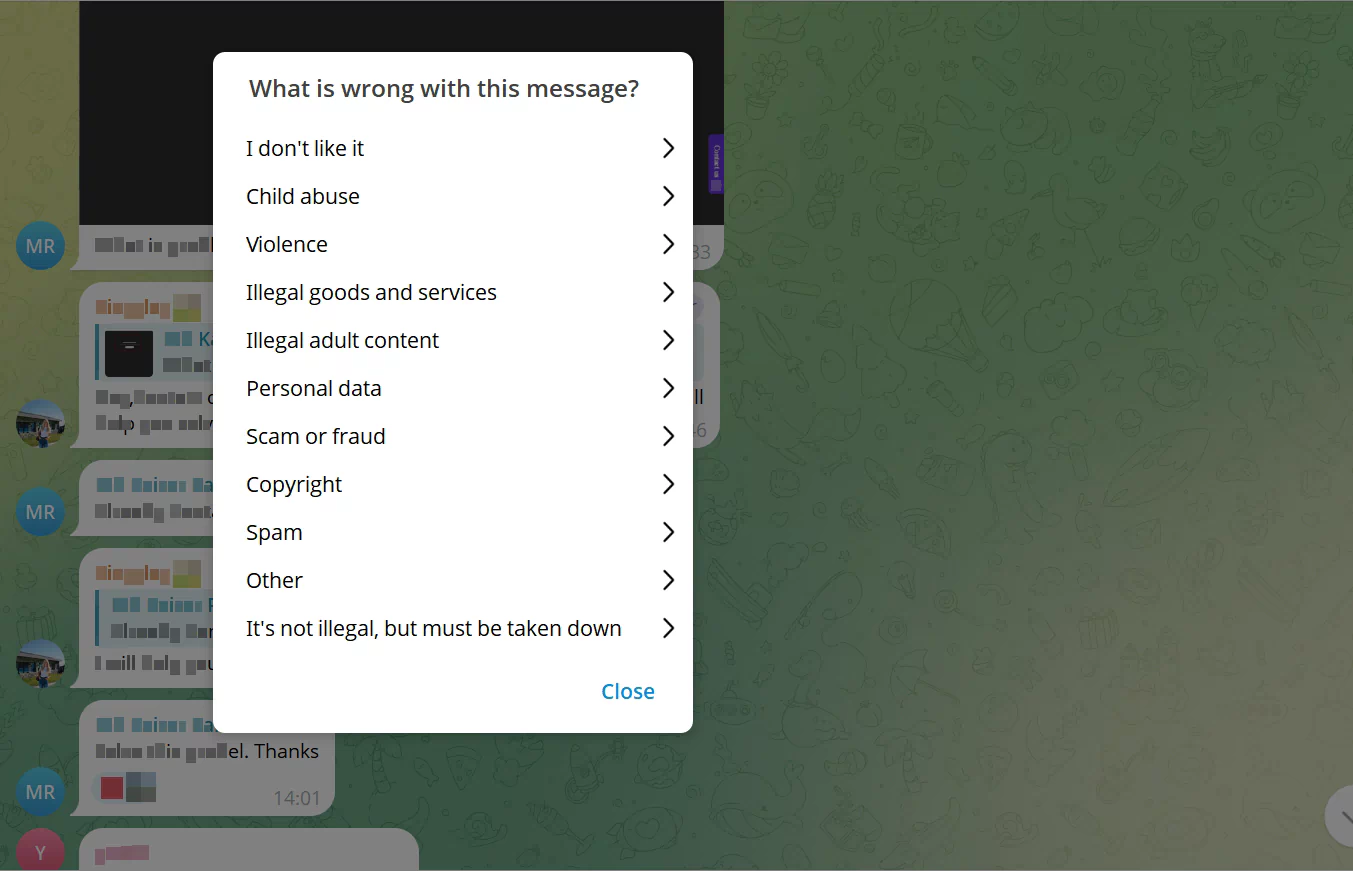
Even when you don’t intend to send spam, your account may still be restricted if multiple users report your messages.This may happen if people report your account for sending unwanted messages, sharing suspicious links, or adding them to groups without permission.
However, reports do not automatically result in a ban. Telegram reviews reported messages before taking action. If a violation is confirmed, your account may face temporary restrictions or more serious penalties.
Flagged or Recycled Phone Numbers
The phone number you use to register can also affect your Telegram account. Some virtual or VoIP numbers may have a history of abuse, while recycled SIM numbers may still be associated with a previous owner’s banned account. If Telegram has flagged a number, using it to create a new account may result in restrictions.
Suspicious IP, Device, or VPN Activity
Unusual login activity may also put your Telegram account at risk. Frequently switching IP addresses or devices, logging in from different countries within a short period, or using an IP location that doesn’t match your phone number’s registered country may trigger additional security checks. Using a VPN or proxy with a poor IP reputation may also cause access issues.
Violating Telegram’s Terms of Service
Posting prohibited content, sharing scam links, or engaging in illegal activities can lead to a Telegram ban. Make sure you follow Telegram’s Terms of Service and avoid content or activities that violate its rules.
How to Recover a Banned Telegram Account
Check If Your Telegram Account Is Temporarily Limited or Banned
Not all Telegram account restrictions are the same. A temporary spam restriction usually allows you to keep using Telegram, but limits your ability to message non-contacts or perform certain actions. A full ban may prevent you from logging in and display a message such as “This phone number is banned.”
Identifying the type of restriction is the first step toward recovery. Temporary spam restrictions and full account bans require different recovery methods.
Use @SpamBot to Check Your Account Status
Telegram provides an official bot, @SpamBot, to help users check and appeal spam-related restrictions. Here’s how to use it:
- Open Telegram and search for @SpamBot, or visit the official bot link.
- Tap Start to begin.
- Follow the bot’s instructions to check your account status.
- If your account is restricted, review the reason and follow the available appeal instructions if you believe the restriction was applied by mistake.
Note that @SpamBot mainly handles spam-related restrictions. If your phone number is fully banned and you cannot access your account, you may need to contact Telegram Support directly.
Submit an Appeal to Get Your Telegram Account Back
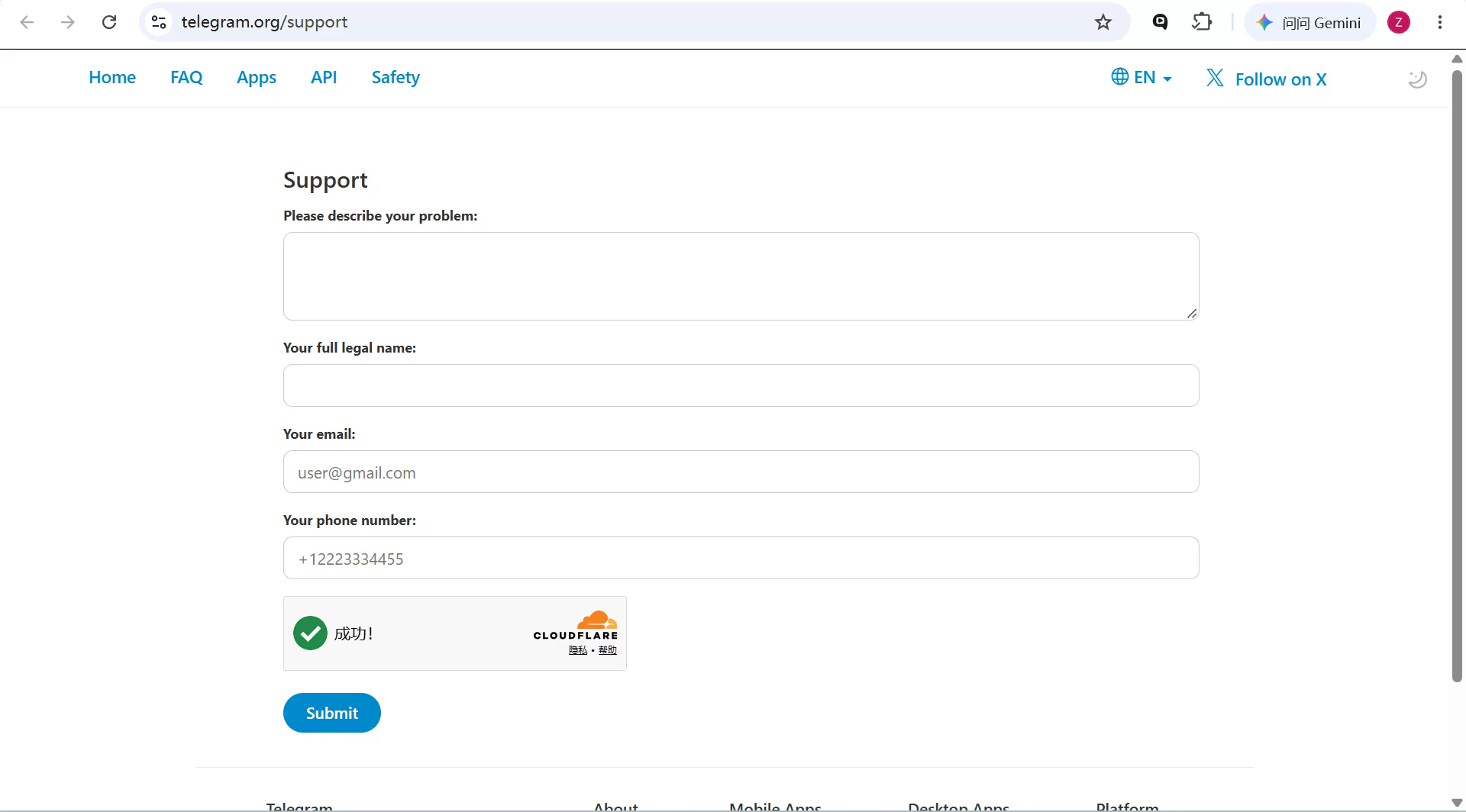
When you see the message “This phone number is banned” while trying to log in, you can submit an appeal through Telegram’s official support form to request a review.
Fill in your full name, email address, and phone number with the country code. In the problem description, explain when the ban occurred and why you believe it was a mistake. Keep your explanation short and factual, and ask Telegram to review your case.
After submitting the form, wait for a response from Telegram. Account recovery is not guaranteed, and review times may vary.
Tips to Avoid Getting Your Telegram Account Banned
Avoid Spam-Like Messaging Behavior
Avoid sending unsolicited messages to large numbers of users, repeatedly sharing external links, or inviting people to groups without their permission. When using a newly registered account, start with normal activities such as joining relevant groups, reading discussions, and participating in conversations naturally.
Maintain a Consistent Login Environment
Try to use familiar devices and a consistent network connection when accessing Telegram. Avoid unnecessary changes in login locations or switching between multiple devices within a short period. It’s also a good idea to use a clean device environment with minimal history of account restrictions or suspicious activity. Avoid devices previously associated with multiple banned accounts or high-risk operations.
Keep Your IP and Account History Clean
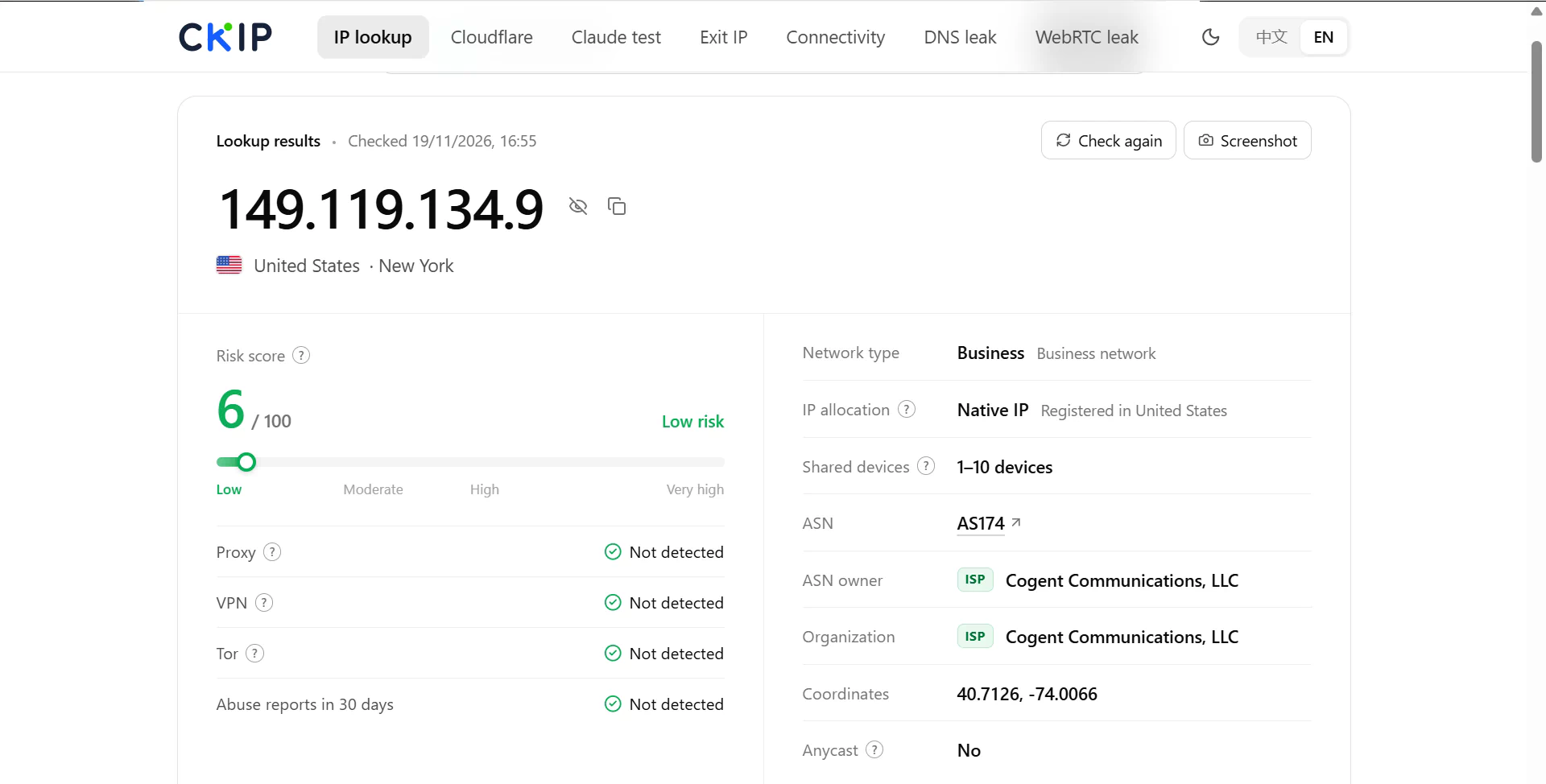
An IP address with a poor reputation or a history of abuse may cause access issues when using Telegram. When using a proxy or VPN to register or manage your account, check the IP’s location, ISP information, and risk indicators before connecting. You can use an IP checker such as CKIP to review these details and avoid IPs flagged for suspicious activity.
Your account activity matters, too. Build a normal usage history by joining relevant communities, participating in group discussions, and connecting with people naturally. Avoid sudden spikes in activity, mass messaging, or repetitive interactions, especially when your account is new. For more tips on managing Telegram communities and encouraging genuine participation, see our guide: How to Build and Scale a High-Trust Crypto Community on Telegram.
Choose a Reliable Residential Proxy
When traveling to another country, try to maintain a consistent network environment to avoid unnecessary changes in your login location. Using an IP address from your account’s usual registration region can help keep your login environment more consistent.
Using FlashIP**** Residential Proxies is a good option for maintaining a consistent network environment. Residential proxies provide IP addresses from local residential networks, helping you access Telegram through an IP in your account’s usual registration region, even when traveling abroad.
FlashIP supports country, state, and city-level targeting, along with sticky sessions that let you keep the same IP for a selected period. This helps maintain a consistent IP connection when accessing your account from different locations.
FAQ
How long does a Telegram ban last?
The duration depends on the type of restriction. Temporary spam restrictions may be lifted after a certain period, while more serious violations can lead to longer or permanent bans. You can check your restriction status through @SpamBot if you can still access your account.
Can I create a new Telegram account with a banned phone number?
A phone number that has been banned by Telegram generally cannot be used to register a new account while the ban remains active.
Can Telegram Detect Multiple Accounts on the Same Device?
Telegram supports using multiple accounts within its app, so having more than one account does not automatically violate its rules. However, each account must follow Telegram’s Terms of Service. Avoid using multiple accounts for spam, unsolicited messaging, or other prohibited activities.
What Type of Proxy Is Better for Consistent Telegram Access?
Residential proxies are a suitable option when you need IP addresses associated with real residential networks. They offer geographic flexibility and can be useful for accessing Telegram from different regions. FlashIP Residential Proxies provide IP coverage across 195+ countries and regions, with country, state, and city-level targeting to support different regional access needs.
Can Telegram Ban an Account Without Warning?
Yes. Telegram may restrict or ban an account when it detects activity that violates its rules, sometimes without a prior warning. You may only notice the restriction when trying to send messages or log in. Check Telegram’s Terms of Service to understand which activities are prohibited.